What Is Multi-Entity Accounting? How It Works and When You Need It
Learn what multi-entity accounting is, how intercompany transactions and consolidation work, and when separate company files stop being enough.
5 min read

QuickBooks works well for a lot of businesses and can remain the right accounting system for years. The question is not whether QuickBooks is good or bad, but whether your business is starting to ask the software to support requirements that go beyond what your current setup was designed to handle.
That usually happens gradually as reporting becomes more involved, another company or location gets added, inventory and purchasing require more coordination, projects need better cost visibility, and approvals become more important. None of those things automatically mean you need ERP, but together they can be signs that it is worth looking at where QuickBooks limitations may be starting to affect the way your business operates.
If you are already comparing systems, our QuickBooks vs Acumatica guide looks at how each approaches these growing requirements.
For many businesses, the first challenges do not show up in basic accounting. They show up around everything connected to it, especially when finance still handles transactions, bills, invoices, and month-end close successfully but needs more help bringing together the broader information the business uses to make decisions.
That can lead to more reliance on spreadsheets, add-ons, separate systems, or manual processes. The issue is usually not one missing feature. It is the amount of work required to connect everything around the accounting system.
As companies add legal entities, finance may find that consolidating results and managing intercompany activity require more effort, depending on the QuickBooks products and processes they use. Separate company files or reporting processes may work well initially, but the workload can increase as the organization becomes more involved.
Finance may spend more time combining results, reconciling activity between entities, and preparing consolidated reports. The issue is not simply the number of companies. It is how much work is required to get a clear financial picture across all of them.
When consolidation becomes a recurring manual process, it may be worth evaluating whether the current setup still fits the way the organization is structured.
Spreadsheets are useful and are not going away, but the issue starts when they become the place where financial information has to be rebuilt before it can be used. Management may ask for profitability by location, product line, project, department, or company, and finance has to export data, combine reports, adjust formulas, and format the result before anyone can review it.
That process may work for a long time, but as reporting requirements increase, the amount of manual work can increase with them. If leadership regularly has to wait for finance to assemble information before answering a business question, reporting may be one of the first areas where the current setup deserves another look.
This is also one of the places businesses commonly notice when they begin outgrowing QuickBooks.
Inventory requirements can change significantly as a business expands, especially when warehouse activity, purchasing, replenishment, costing, fulfillment, and financial reporting all need to stay aligned. QuickBooks products, including certain Enterprise editions, can support a range of inventory capabilities, so the question is whether the particular setup still works well as those requirements become broader.
A company may begin using additional applications or processes for purchasing, warehouse activity, fulfillment, or operational reporting, and that can be the right solution. The challenge comes when finance and operations are working from different systems and a significant amount of effort is required to keep the information aligned.
At that point, it can make sense to evaluate whether connecting those functions more closely would reduce manual work.
Project-based businesses can run into a similar issue when costs, time, billing, and management reporting are handled in different places. Each tool may still be doing its job, but understanding the full financial picture of a project can become harder when the information has to be pulled together manually.
Finance and project teams may need to answer questions about how much has been spent, what has been billed, what is committed but not yet invoiced, what the current margin looks like, and how the project compares with the original budget. When answering those questions requires information from several places, the business may need a more connected approach to project and financial management.
Smaller organizations can often rely on straightforward approval processes because the same people are involved in many decisions. As more employees, departments, locations, and transactions are added, purchase approvals, expense approvals, access controls, and other workflows may need to become more structured.
Different QuickBooks products and connected applications can support approval and control requirements in different ways. The question is whether those processes still work well for the business without creating unnecessary manual steps around the accounting system.
When approvals increasingly happen through email, spreadsheets, or disconnected applications, it may be worth evaluating whether the overall workflow still fits.
Adding another application can be the right answer to a specific problem, but over time businesses can end up with separate systems for accounting, inventory, projects, expenses, purchasing, CRM, reporting, and other functions. There is nothing inherently wrong with that until employees are entering the same information in more than one place or finance is regularly trying to determine why two systems do not agree.
Integrations can help, but they still need to be maintained, and the reconciliation work can slowly become part of the normal accounting process. When the technology stack creates more manual coordination than it removes, it may be time to look at whether some of those processes belong in a more connected system.
Finance may have the information it needs, but the bigger issue is how long it takes to get to it. Questions about profitability, cash, inventory, project performance, or company-wide results may require several reports, exports, or conversations before finance can give leadership an answer.
That creates a different kind of limitation because the issue is no longer simply whether transactions can be recorded correctly. It is whether finance and management can get the visibility they need without rebuilding the answer each time.
When routine questions consistently require manual research, it may be worth looking at whether the current system still provides enough visibility for the way the business operates today.
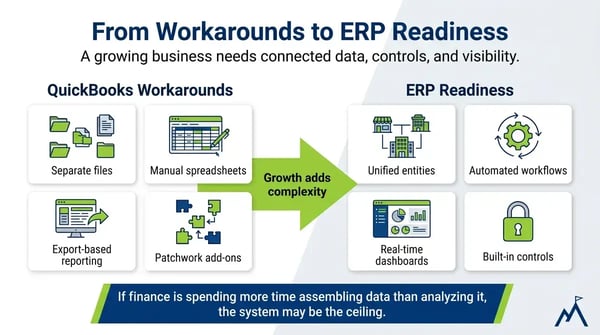
None of these situations automatically means a business should replace QuickBooks. A company with one or two of these challenges may be able to improve its processes, reporting, integrations, or current QuickBooks configuration and continue using it successfully.
The conversation usually changes when several issues begin happening at the same time. Reporting becomes increasingly manual, multiple entities take more work to consolidate, operational information lives in other systems, approvals require additional steps, and finance spends more time reconciling information.
That is when it becomes reasonable to ask whether QuickBooks is still the right fit for what the business needs today. The answer may still be yes, but if more of the work surrounding accounting is happening outside the system, it may be worth understanding what a more connected ERP environment would change.
Moving beyond QuickBooks does not mean you need to replace it immediately. The first step is usually identifying what is creating the most manual work, where information is disconnected, and what your business would need from a different system.
From there, you can determine whether improving the current setup makes sense or whether it is time to start evaluating ERP. If you reach that point, our QuickBooks vs Acumatica comparison explains some of the differences between accounting software and a cloud ERP system so you can better understand what would change.
If your business requirements are changing, it may be time to review whether QuickBooks still meets your needs or if a more connected ERP system makes sense.
Milestone Information Solutions helps businesses evaluate their current systems, understand their options, and determine whether Acumatica is the right fit.

Learn what multi-entity accounting is, how intercompany transactions and consolidation work, and when separate company files stop being enough.
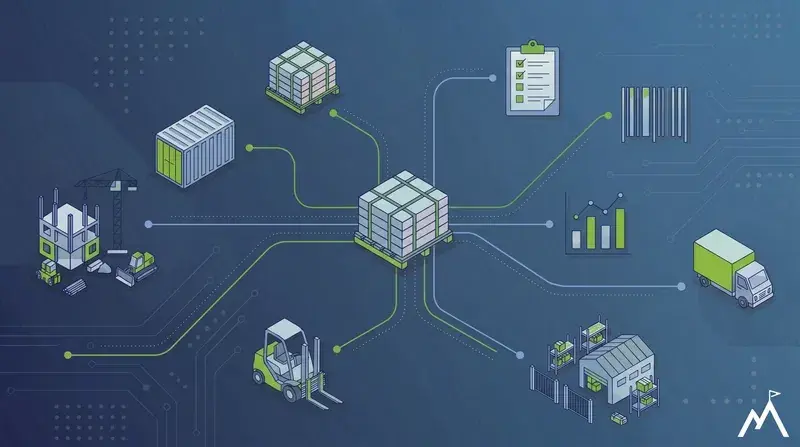
See how construction inventory management software helps contractors track materials, improve job costing, and give finance numbers they can trust.
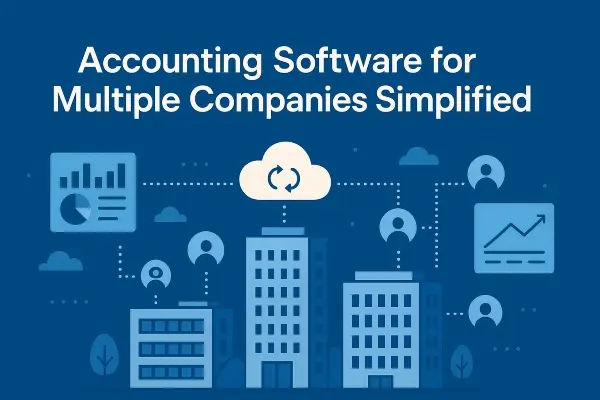
Learn how accounting software for multiple businesses helps finance teams manage intercompany transactions, reporting, and financial visibility.