ERP vs. Cloud ERP: The Old Way and the New Way Explained
Compare on-premise ERP and cloud ERP. Discover the key differences in cost, security, and scalability to choose the best fit for your business.
6 min read
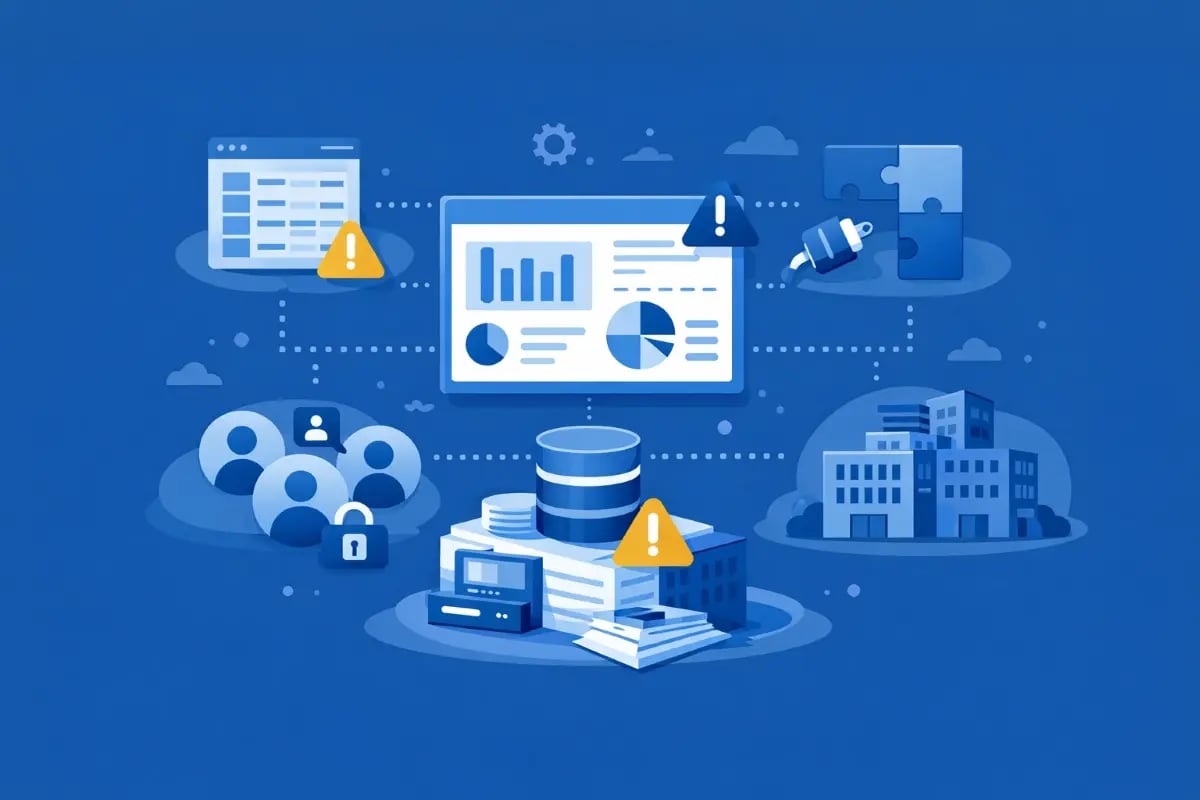
Outgrowing QuickBooks usually does not happen all at once. The system may still handle core accounting, but reporting, access, multiple entities, and manual work begin taking more time as the business changes.
QuickBooks is often the right place to start and can work well for years.
The problem starts when finance has to build more processes around the system. Reports move into spreadsheets. More people need access to information. Add-ons fill gaps. Month-end and management reporting take longer than they should.
Those are often the first signs that a business may be outgrowing QuickBooks.
QuickBooks can still be a really good fit for many businesses. If you are running a single company, have a fairly straightforward revenue model, limited inventory or project complexity, and only a small group of people needing access, it may continue to work well for quite some time.
In those situations, the better move is often improving processes, cleaning up reporting, and getting more out of the system you already have rather than rushing into an ERP.
The challenge is that businesses grow. More entities get added. Reporting becomes more important. Teams need access to better information. Finance starts getting pulled into more decisions, and what used to work starts taking more effort than it should.
That is usually when the friction starts to show up in predictable ways.
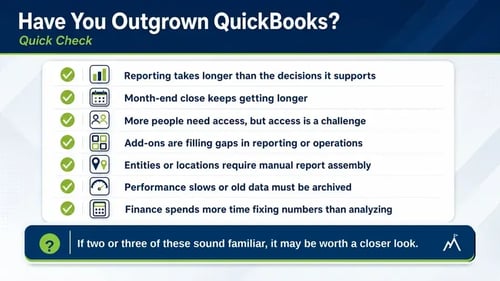
Take a quick look through this list. These are some of the signs you have outgrown QuickBooks we see when businesses start seeing the limits of QuickBooks.
You don't need to check every box for this to matter.
If two or three of these feel familiar, it may be worth taking a closer look at where the friction is coming from. If four or more sound familiar, there is a good chance QuickBooks is no longer supporting the business the way it once did. When several of these issues show up at the same time, the system may be becoming a bottleneck, not just an inconvenience.
One of the first signs usually shows up in reporting.
Reports start taking longer to put together. Data gets exported into Excel, cleaned up, reconciled, and pieced together before anyone feels comfortable sharing it. Multiple versions of the same report start floating around, and leadership ends up asking follow-up questions just to feel confident in the numbers.
The problem usually isn't that the numbers are wrong. It's that getting to the numbers takes too much time.
When leaders are waiting on reports instead of using them to make decisions, reporting has started to become the bottleneck.
As businesses grow, more people need access to financial and operational information. Project managers want job costs. Operations wants inventory numbers. Leadership wants better reporting. Department managers need visibility.
That's when finance can accidentally become the middleman for everything.
Instead of people getting the information they need themselves, finance ends up answering report requests, pulling numbers, checking permissions, and responding to constant questions throughout the day. Simple requests become interruptions, and interruptions start adding up quickly.
At the same time, expectations around controls and accountability grow. Lenders, investors, auditors, and leadership want better visibility into approvals, reporting, and process. Tracking things through email threads and spreadsheets starts becoming harder to manage and harder to trust.
Even when the team is doing everything right, day-to-day work can start feeling harder than it should.
Add-ons usually start with good intentions. Payroll moves to one system. CRM lives somewhere else. Inventory gets tracked in another tool. Reporting or approvals happen outside accounting.
At first, it works. But over time, simple tasks start taking more effort than they should.
A salesperson asks if a customer is clear to place an order, and finance has to check credit in one place and invoices in another. An invoice gets paid, but inventory doesn't reflect it until someone updates or reconciles the information manually. Leadership asks about margins, and suddenly the answer depends on pulling numbers from multiple systems and making sure everything lines up.
Manual imports, Excel exports, and reconciliation become part of everyday work. Finance spends more time checking the numbers than using them.
Growth changes things. More locations get added. New entities are created. Reporting becomes more complicated. Inventory, projects, approvals, or different revenue models introduce new moving parts.
QuickBooks can often handle pieces of that growth for a while, but usually through more workarounds, more spreadsheets, or more manual reporting than finance really wants.
At some point, teams start noticing signs the system is struggling to keep up. Reports take longer. Files slow down. Historical data gets archived just to keep things running smoothly. Pulling information together starts taking more effort than it should.
That's usually when it starts feeling like the software no longer supports how the business operates.
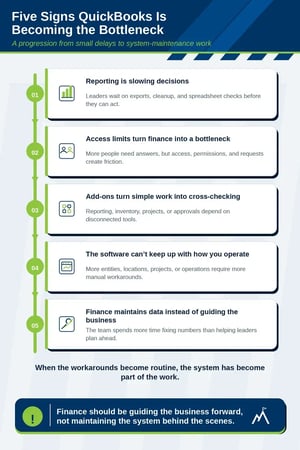
One of the clearest signs is when finance spends more time reconciling reports, fixing issues, and explaining numbers than forecasting, planning, and helping guide decisions.
Leadership needs information faster. Decisions carry more risk. But finance is still trying to make sure everything ties out before anyone feels comfortable moving forward.
And when only one person knows how the spreadsheets, reports, and workarounds fit together, even taking vacation starts feeling stressful.
As businesses grow, finance should be spending more time helping guide the business forward, not maintaining the system behind the scenes.
When companies move beyond QuickBooks and into an ERP, a lot of the day-to-day friction usually starts to ease.
Reporting gets faster because finance is no longer rebuilding the same reports every month or answering the same questions over and over. Leadership has better visibility into the business without waiting days for numbers to be pulled together.
Access becomes easier to manage too. People can see the information they need without finance having to stop what they're doing every time someone asks for a report or update.
Instead of information living in multiple systems and spreadsheets, teams work from the same data. That means less time cross-checking numbers, fewer manual reconciliations, and more confidence in what everyone is looking at.
For example, a department manager might be able to check project profitability, inventory levels, or customer information on their phone between meetings instead of sending an email and waiting for finance to put together a report.
Approvals, reporting, and audit trails also become easier to manage as the business grows, which matters more as lenders, investors, and compliance expectations increase.
The biggest difference is usually not having more software. It's having fewer workarounds. When QuickBooks stops being the bottleneck, finance can spend more time guiding the business and less time maintaining the system behind the scenes.
Finance gets to spend less time maintaining reports and more time helping guide the business forward. For many companies, this is also where the difference between accounting software and a modern ERP becomes easier to understand.
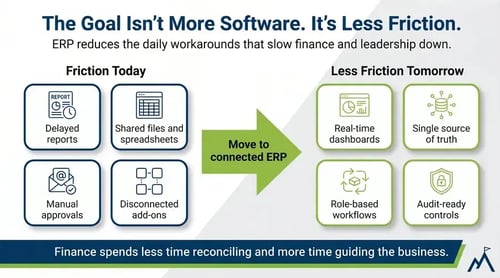
If QuickBooks is starting to create more work than it solves, the next step is understanding what changes when you move from accounting software into ERP.
Our QuickBooks vs. Acumatica comparison looks at reporting, access, inventory, projects, and the differences businesses usually notice when evaluating what comes next.
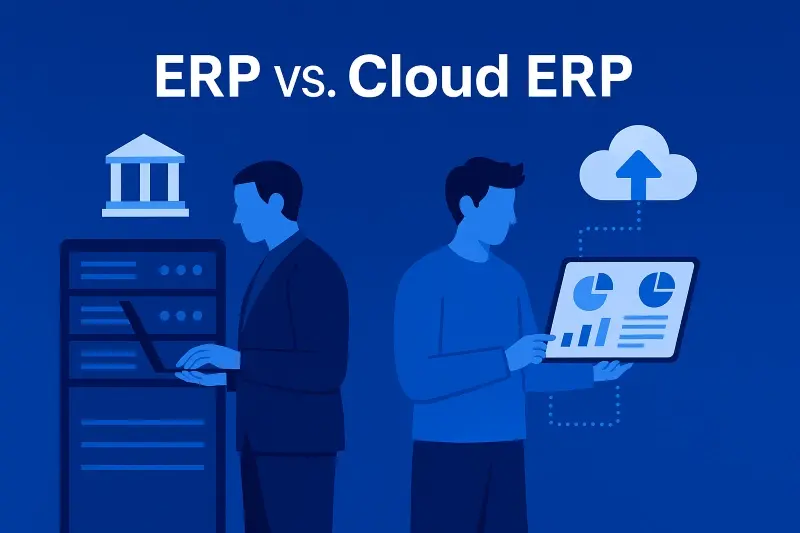
Compare on-premise ERP and cloud ERP. Discover the key differences in cost, security, and scalability to choose the best fit for your business.

If managing Sage 100 has gotten harder over time, these five signs may explain why your business has outgrown the system and what to do next.

Compare QuickBooks and Acumatica to see when it's time to move from accounting software to a cloud ERP built for reporting, controls, and operations.