How Acumatica WMS Handles Picking, Packing, and Shipping
Acumatica WMS connects picking, packing, and shipping in one platform. Learn how barcode-driven workflows reduce errors and improve fulfillment...
4 min read
The Milestone Team Published Updated
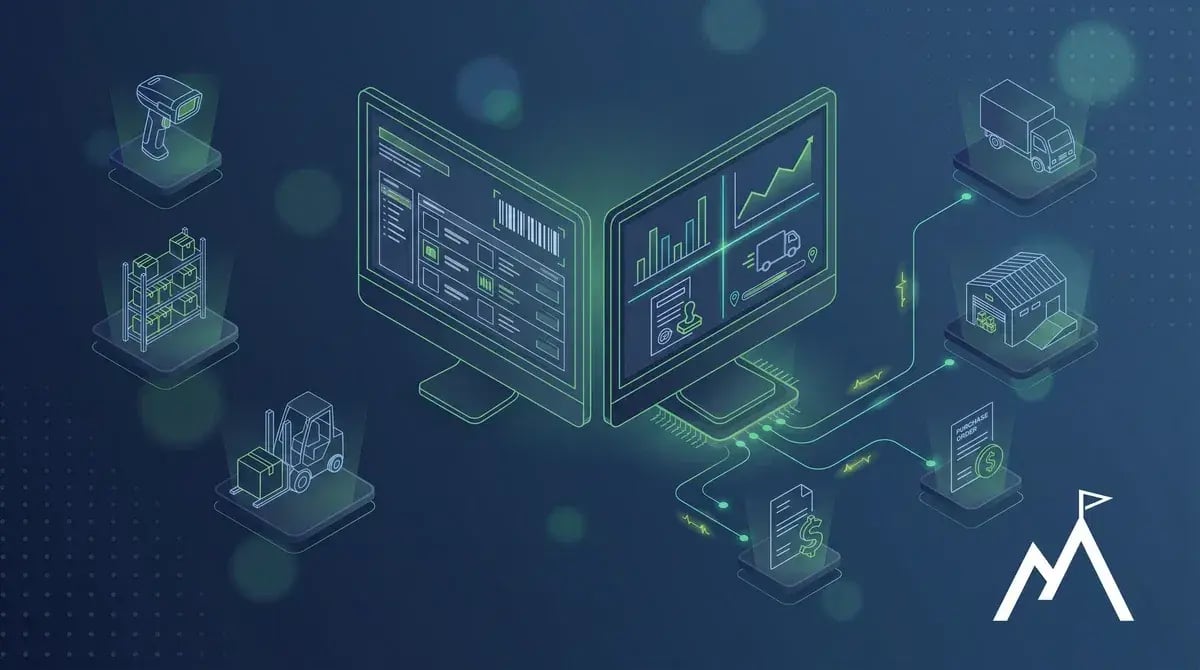
For many inventory-driven businesses, the warehouse and finance team work from different systems. The warehouse knows what was received, picked, and shipped. Finance knows what reached the books. The problem is that those numbers do not always line up in real time.
That disconnect is often where problems begin, and it usually becomes harder to manage as the business grows.
When ERP and WMS functionality work together in one system, warehouse activity and financial data stay aligned without manual syncing or separate exports. Inventory quantities, order status, shipment confirmations, and related costs update as activity occurs, not at the end of the day or during month-end reconciliation.
In simple terms, an ERP WMS combines warehouse management with the rest of the ERP system. Inventory, orders, shipping, and financials stay connected in one place instead of being managed across separate tools that must be reconciled.
An ERP WMS is a warehouse management system that is built into or closely integrated with an ERP platform rather than operating as a separate, standalone system.
A standalone WMS can manage warehouse activities such as receiving, put-away, picking, packing, shipping, and inventory tracking. However, it usually requires an integration to send that information to the ERP or accounting system. That adds another layer of setup and maintenance and creates more opportunity for delays, errors, or failed data transfers.
An ERP WMS connects warehouse activity with purchasing, sales, accounts payable, accounts receivable, inventory costing, and the general ledger. Instead of relying on a separate sync, warehouse and financial records update together as transactions occur.
ERP and WMS are related, but they serve different purposes. An ERP system manages the broader business by connecting financials, purchasing, sales, customer information, inventory, and reporting across the organization.
A WMS focuses specifically on warehouse operations. Its core functions include receiving, put-away, picking, packing, shipping, inventory movement, and location tracking.
The two systems can operate independently, and many businesses use separate ERP and WMS platforms. In that setup, warehouse data must move into the ERP manually or through an integration that requires ongoing maintenance. Delayed updates, failed transfers, and mismatched information are often where friction begins.
When ERP and WMS are connected or unified, warehouse transactions and financial records update together without separate exports or manual handoffs.
The main difference is where the data lives and how it moves between warehouse operations and finance.
With a standalone WMS, warehouse data lives in one system and financial data lives in another. The connection has to be built and maintained, and the results may need to be reconciled when information does not match. That setup can work, but it often creates more work when inventory directly affects margins, cash flow, and reporting.
With an ERP WMS, warehouse and financial activity stay connected in one system. Picks, shipments, receipts, inventory, and related financial records update together, giving finance and operations the same information without waiting for separate systems to sync.
The value of an ERP with an integrated WMS goes beyond efficiency on the warehouse floor. It comes from connecting warehouse activity directly to purchasing, accounting, and financial reporting.
When inventory moves, the related information updates with it. Orders ship, inventory quantities change, and purchasing gets a more accurate view of what needs to be reordered instead of relying on reports that may already be outdated.
For finance teams, that connection makes inventory easier to manage and reconcile. Month-end close does not depend on pulling information from a separate warehouse system, while landed costs, carrying costs, and inventory valuation stay more current. Leadership can also answer questions about margins, inventory levels, and fulfillment performance using information shared across the business.
Acumatica provides warehouse management functionality within the same ERP platform used for inventory, purchasing, sales, and financial management. Warehouse teams and finance teams work from the same system rather than relying on a separate WMS integration.
Acumatica supports the core warehouse processes many inventory-driven businesses need, including:
Because warehouse management is part of the Acumatica platform, there is no separate WMS database or integration to maintain. Warehouse activity stays connected to purchasing, sales, inventory, and finance as transactions occur.
To learn more about receiving, picking, packing, and shipping in Acumatica, see our Acumatica WMS picking and packing blog.
Not every warehouse needs a fully integrated ERP WMS from day one. Businesses with simpler operations, lower order volumes, and fewer inventory requirements can often manage with basic tools or separate systems for a while.
The disconnect usually becomes a problem when:
A standalone WMS may improve picking, packing, and inventory control inside the warehouse, but it does not automatically solve the broader disconnect with finance. That is usually when businesses begin looking for an ERP and WMS that work together in one system.
An ERP WMS is most valuable when warehouse activity, inventory, orders, and financials stay connected in one system. Learn more about how Acumatica supports receiving, picking, packing, shipping, and inventory control on our Acumatica WMS page.
For a broader look at how warehouse management connects with purchasing, sales, fulfillment, and financials, visit the Acumatica Distribution ERP page.
ERP manages the broader business, including financials, purchasing, sales, inventory, and reporting. A WMS focuses specifically on warehouse activity such as receiving, picking, packing, shipping, and inventory movement.
The two systems can operate separately, but information must move between them through manual work or integrations that require ongoing maintenance. When ERP and WMS are connected, warehouse activity and financial data update together so inventory, orders, and reporting stay aligned in real time.
A standalone WMS manages warehouse operations separately from ERP and finance systems. An ERP WMS is built into or tightly connected with the ERP platform, so warehouse activity, inventory, purchasing, and financials stay aligned.
With a standalone WMS, information usually moves between systems through integrations that need to be maintained. With an ERP WMS, warehouse and financial activity update together, helping reduce manual work and keep inventory and reporting aligned.
Sometimes. It depends on the warehouse operation and how advanced its requirements are.
For many distribution and manufacturing businesses, an ERP with warehouse management can handle receiving, inventory tracking, barcode scanning, picking, packing, and shipping. Keeping those processes in one system also helps warehouse activity, inventory, purchasing, sales, and financials stay aligned.
Businesses with very high order volumes, heavily automated facilities, or specialized warehouse requirements may still need a standalone WMS connected to the ERP.
Acumatica includes warehouse management within the same ERP platform used for inventory, purchasing, sales, and finance. For many distributors and manufacturers with one or several warehouses, it can manage receiving, inventory control, barcode scanning, picking, packing, and shipping without requiring a separate WMS.
Because warehouse and financial activity stay connected, businesses have less reconciliation work and fewer systems to maintain. Operations with highly specialized or advanced warehouse requirements can still use Acumatica as the ERP while integrating it with a more specialized WMS.
Acumatica WMS connects picking, packing, and shipping in one platform. Learn how barcode-driven workflows reduce errors and improve fulfillment...

Distribution ERP software connects inventory, purchasing, warehouse operations, sales, and financials. Learn when distributors need ERP and what to...
Compare on-premise ERP and cloud ERP. Discover the key differences in cost, security, and scalability to choose the best fit for your business.